The AI that already knows how to edit weddings and builds the first cut for you.
EditorWed comes trained on real wedding films edited by a professional filmmaker. You import the synced XML from PluralEyes and get a multicam rough cut ready to polish in Final Cut Pro, Premiere or DaVinci Resolve.
// intelligence ready on day one, nothing to set up or train
From synced XML to first cut in 3 steps
You stay in creative control and keep your usual workflow. EditorWed does the heavy, repetitive work that eats your weeks.
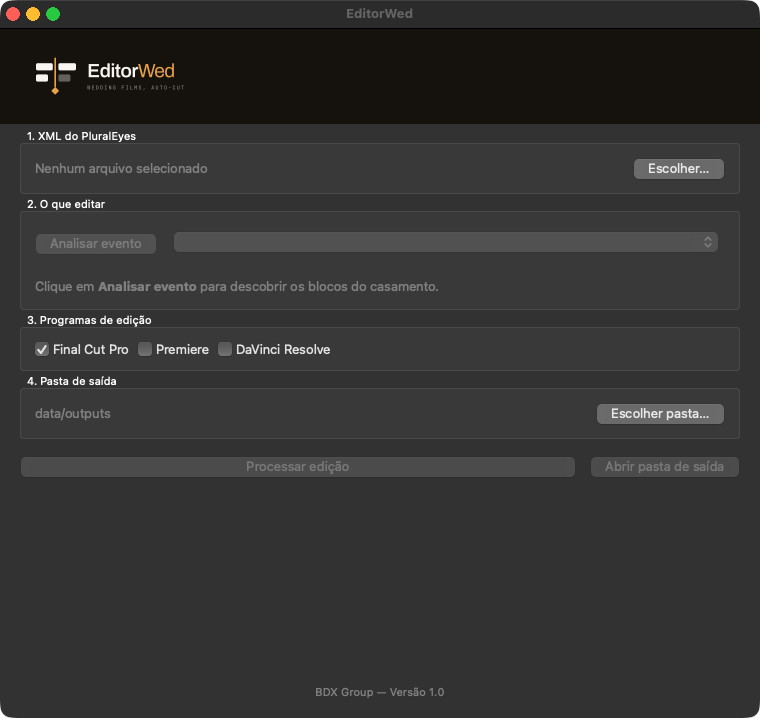
Open the wedding
Import the synced XML from PluralEyes and choose the output folder. Nothing to set up, nothing to train.
The AI edits
Already trained on real weddings, it maps the ceremony and the reception and builds the multicam cut with the pacing and framing of an experienced editor.
Download the multicam cut
Get a multicam XML with every camera live and open it in Final Cut Pro, Premiere or DaVinci Resolve. Adjust anything you want, with full control over every cut, and deliver in record time.
The system studies. The system works.
◆ Pillar A: Built-in knowledge
- Trained by watching real wedding films finished by a professional filmmaker
- Absorbed the editing DNA: pacing, shot length, cutting on the beat, framing types
- Tells the pacing of the ceremony from the pacing of the reception
- A knowledge base that keeps evolving with every system update
◆ Pillar B: Automatic editing
- Reads the synced PluralEyes XML and takes on the hardest part: watching, understanding and deciding every cut
- Maps the blocks of the event: ceremony and reception
- Applies what it learned and builds the multicam rough cut
- Returns a new XML for your favorite NLE
Everything that steals your time, automated
Trained on real weddings
It arrives knowing the craft: it absorbed cut pacing, shot length, cutting on the music beat and framing from real films edited by a professional filmmaker. Ready on day one.
Cuts like an editor
It decides based on what happens in the scene: who is speaking, reactions worth showing (tears, laughter, glances) and shots that have run their course. No fixed-interval cutting.
100% editable multicam
The XML opens with every camera live on the timeline. Don't like an angle? Switch it in two clicks. No black box, no flattened cut.
Understands the event
In hours of raw footage, it finds the blocks of the day on its own: where the ceremony and the reception start and end.
Smart framing
At key moments, like the bride's entrance, it favors the cameras that show the couple from the front and deliberately alternates wide and tight shots.
Always the right audio
It keeps the dedicated recorder's audio across the whole timeline. When there is none, it automatically picks the best camera's audio.
Final Cut, Premiere and DaVinci
You choose the output format: FCPXML for Final Cut Pro or XML for Premiere Pro and DaVinci Resolve.
Your workflow, unchanged
It starts from the PluralEyes XML you already generate today, and EditorWed does the hardest part: analyzing hours of footage, choosing angles and building the cut. Nothing changes in how you shoot and organize.
A simple app, built for the edit bay
Interface for Mac and Windows: open the wedding, follow the processing progress and download the XML to the folder you choose.
Your week, before and after
Without EditorWed
- Hours watching raw footage to find where each block of the day starts
- Manually logging every block of the event
- Choosing angle by angle, cut by cut, from scratch
- Weeks of delivery backlog, with couples chasing you
- Late nights and weekends in the edit bay
With EditorWed
- Ceremony and reception mapped automatically
- First multicam cut ready, cut like an experienced editor
- You only refine: switch angles in two clicks whenever you want
- Deliveries in days, not months
- More weddings booked with the same team
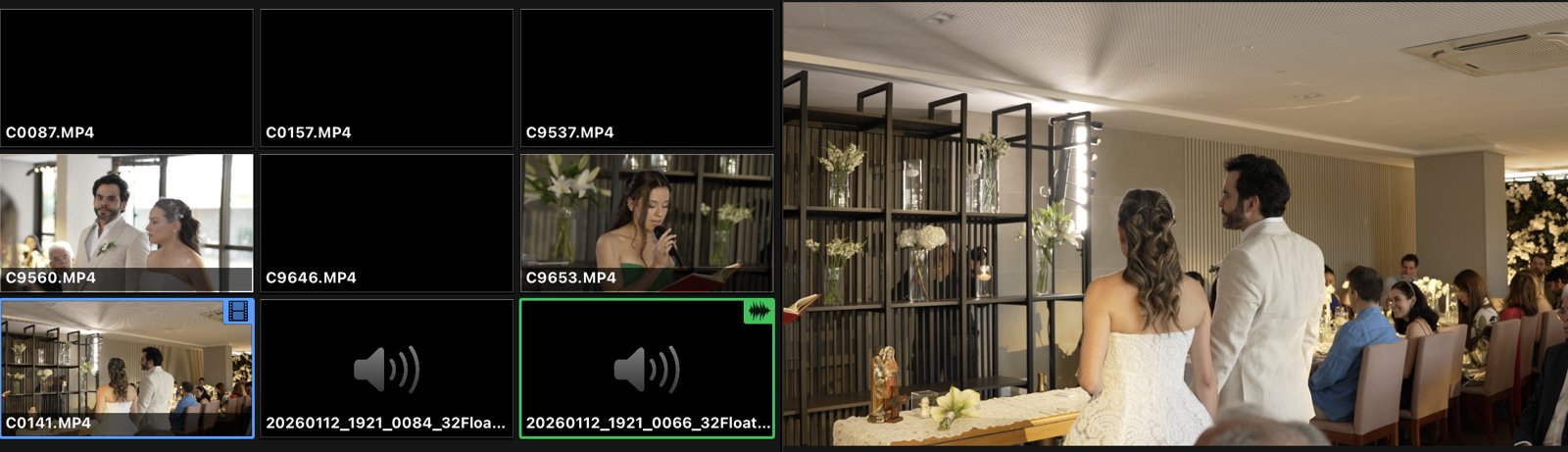
From a real wedding, straight into Final Cut Pro
A cut generated by EditorWed on a real wedding: the project opens as multicam, with every camera and the cuts ready on the timeline.

Filmmakers who got their time back
It used to take me three weeks to deliver a film. Now the multicam rough cut arrives ready and I just refine it. I deliver in the same week as the wedding.
What impressed me most is that the cuts look like an experienced editor's: the right moment, the right camera. And when I want another angle, the whole multicam is right there.
I thought I would lose control of the edit, but it's the opposite: the XML opens in my NLE with everything organized and the final word is still mine. I got my nights back.
Choose your billing period, all included
The longer the period, the bigger the discount. No extra processing fees: a single extra wedding edited already pays for the subscription.
Monthly
- Up to 20 weddings processed per month
- Ceremony and reception mapped automatically
- Automatic multicam rough cut
- Exports to Final Cut Pro, Premiere and DaVinci Resolve
- Knowledge base updates included
- Direct support
Semiannual
- Everything in Monthly
- Up to 20 weddings processed per month
- One payment every 6 months
- Save R$ 210 per semester
Annual
- Everything in Monthly
- Up to 20 weddings processed per month
- One annual payment
- Save R$ 840 per year
- Price locked for 12 months
Frequently asked questions
Does the automatic cut replace the editor?
No. It replaces the repetitive part of the job. Event mapping, angle selection and the first cut are automatic; the refinement, the creative signature and the final emotion are still yours. The result is a rough cut, not a finished film.
Does it work with my NLE?
Yes. On export you choose the format: FCPXML for Final Cut Pro or XML for Adobe Premiere Pro and DaVinci Resolve. The project opens as true multicam, with every camera live and every cut adjustable.
Do I need to change my workflow?
No. You keep syncing cameras and audio in PluralEyes, just like today. EditorWed starts from the XML it exports and returns another XML with the cut built. Nothing changes in how you shoot or organize.
How did the AI learn to edit weddings?
It was trained by watching real wedding films, full ceremonies and highlights, finished by a professional filmmaker. From that library it extracted the editing DNA: cut pacing, shot length, cutting on the music beat and framing. You don't need to train anything: the system arrives smart, and the base evolves with every update.
What if a cut comes out wrong?
Since the XML is multicam with every camera live, fixing it is fast: you click the cut and switch the angle, as you would in any multicam project. And EditorWed gets constant updates: the knowledge base grows with every version, and the cuts keep getting better without you doing anything.
Is there an extra cost per processed wedding?
No. You only pay for your chosen plan, which includes up to 20 weddings processed per month. The limit renews every month and does not roll over to the next one.
Is my footage safe?
Yes. Your files are yours. The system processes your footage exclusively to build your project and does not use your images for anything else.
What if I don't like it?
You have a 7-day guarantee. If EditorWed doesn't speed up your delivery, we refund your investment with no hassle.